Every plan starts with a 14-day free trial with all of it switched on. No card needed.
Run the day
One place to see and move every job, from the first call to the last visit.
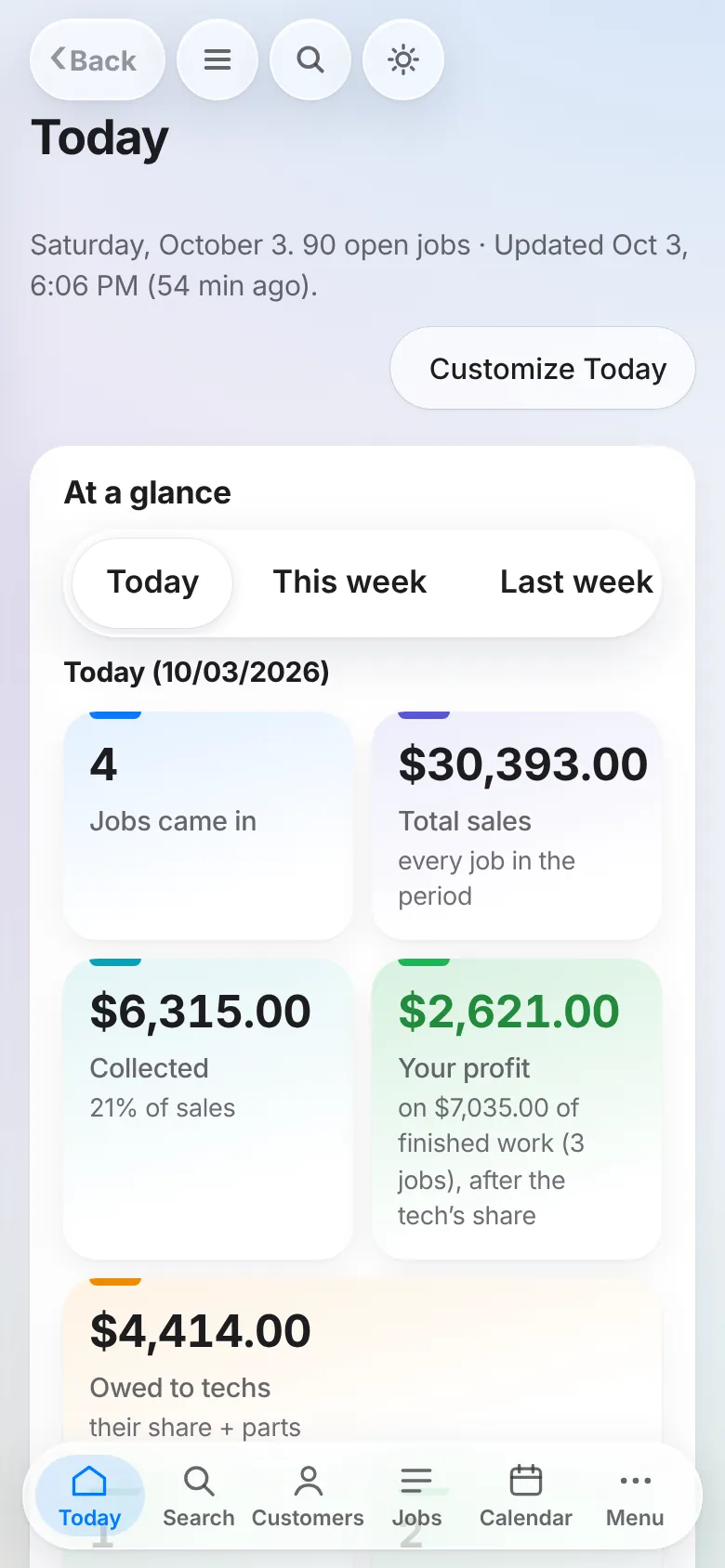
TodayWhat’s on for today, who’s out, and what needs you next, the moment you open the app.
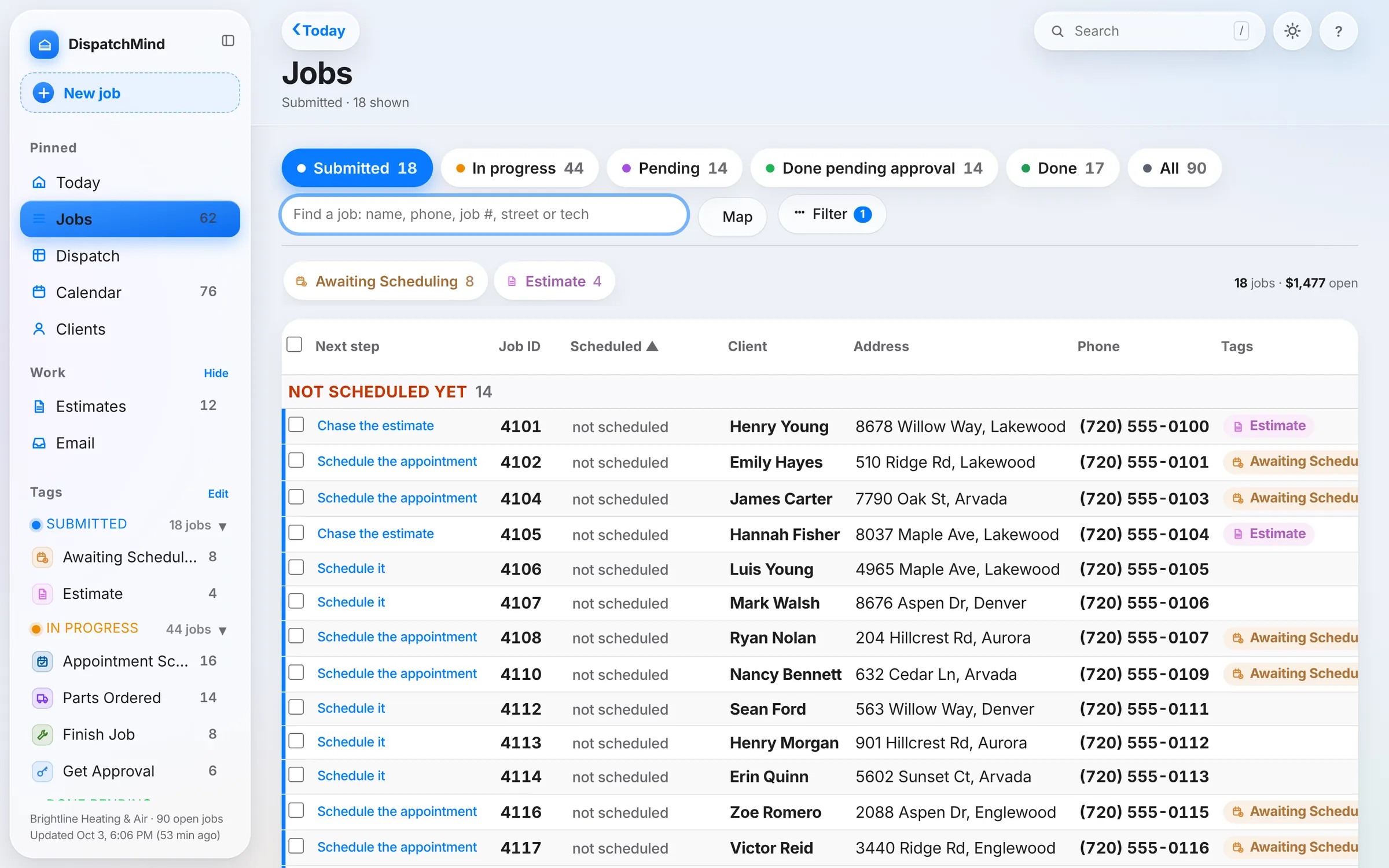
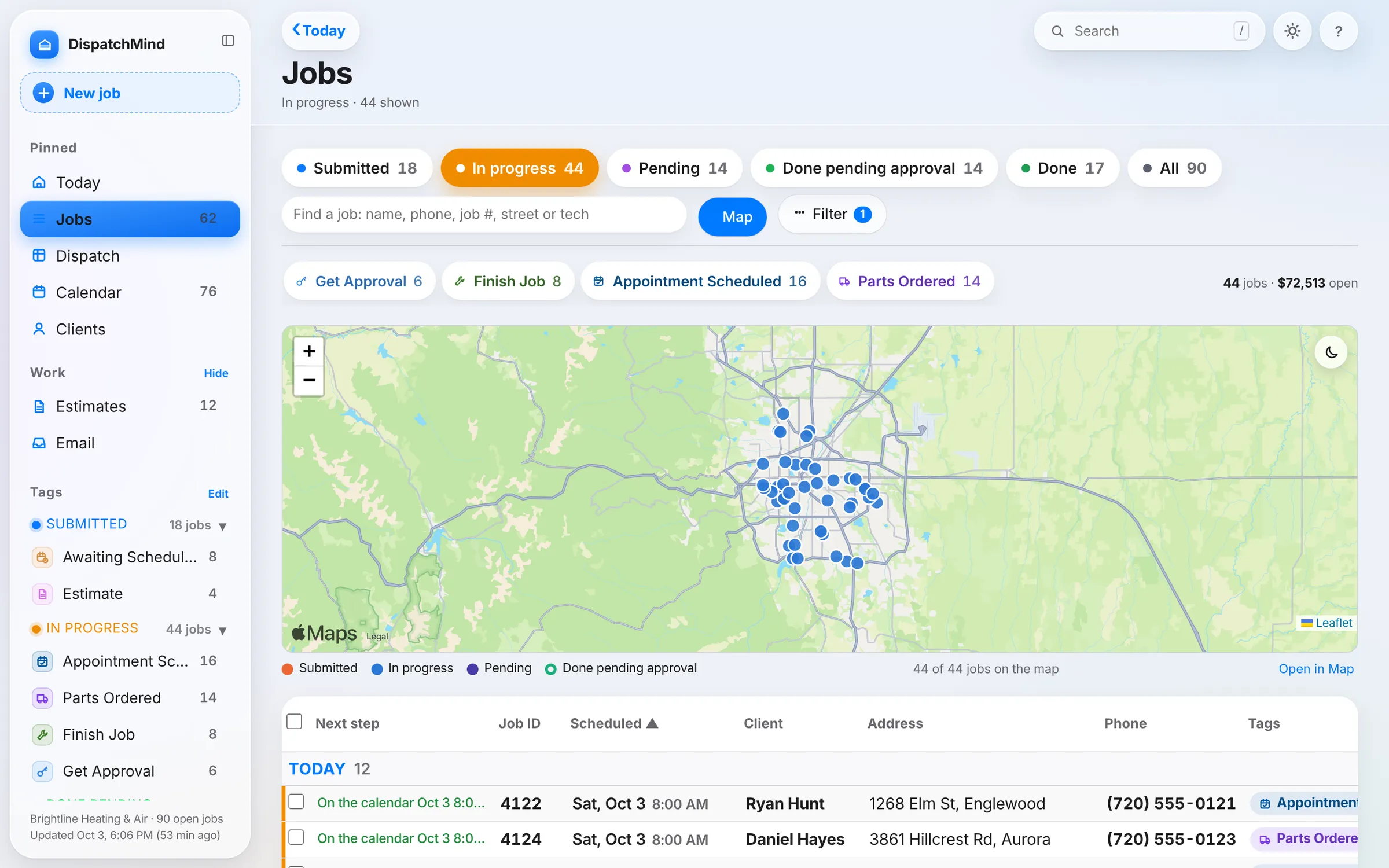
Jobs boardEvery open job in one list. One click opens a job. Sort, filter, search, and save the views you use most.
Dispatch boardYour techs side by side, so you can see who’s free and move work to the right person.
CalendarDay, week and month views, so you spot open time and double bookings at a glance.
Jobs mapEvery job on the map, so you can group visits by area and send the closest tech.
Job pageEverything about one job: customer, address, notes, photos, tags, money and history.
Multi-day jobs and crewsJobs that run over several days or need more than one tech, on the board as one job.
Pickup and drop-offJobs with two addresses, for towing, moving and delivery.
Several companies, one accountEach company or brand keeps its own name, email, phone number, invoices and texting name.
LocationsEach job lands in an office or area by ZIP, city or state, with a filter on Today, Jobs and Reports.
Property managersSend work to outside vendors, with links for owners and vendors.
Search everythingFind any job, customer, phone number or work order from one search box.
Back and forwardButtons on every page take you to where you just were and back again. Or slide on your trackpad or phone. Anything half-typed stays put.
Look ahead
DispatchMind spots trouble before it reaches you, and keeps you close to the customers you already served.
Tomorrow’s dress rehearsalEvery evening it walks through tomorrow’s visits: techs who keep missing calls, long drives between stops, weather alerts, parts or approvals still open, and visits with no tech. Each risk comes with one suggested fix you apply or skip.
Fix it before it breaksA weekly list of past customers whose part is close to the end of its life. You pick who gets a short reminder text and press Send. Nothing goes out on its own.
Past customer calls backWhen a customer from a finished job calls or texts again, you get a push with their name, the last job, the tech and what they said.
Your techs in the field
Your techs get their own app. You decide what each one can see and do.
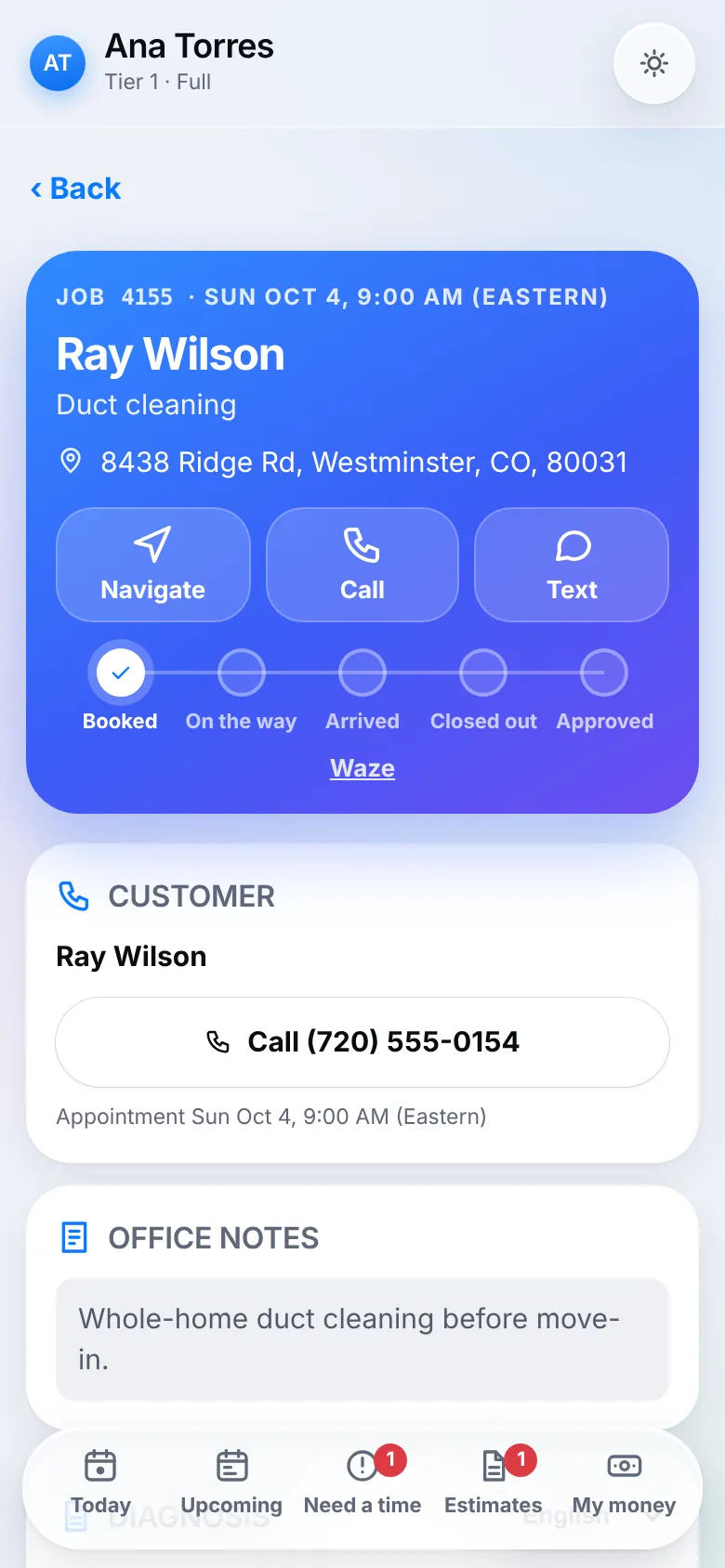
Tech appTechs see only their own jobs, with the address, notes, checklist, photos and drive time.
Close out from the drivewayFindings, photos, totals, parts and how the customer paid. Money a tech enters is never final until you approve it.
Best techs firstRank your techs into tiers and offer a job with one tap. The top tier sees it first, and the first to accept gets it.
Access levelsGive each tech the access you choose, from look-only to closing out jobs.
Office logins and rolesOwner, admin, office and look-only logins for the rest of your team.
Time clockClock in and out, overtime worked out, and a payroll spreadsheet ready to send.
Techs on the mapSee where your techs are, for companies that turn it on.
Tech scorecardHow each tech is doing: jobs done and money brought in.
Estimates, invoices and getting paid
Quote it, bill it, and keep track of every dollar still owed.
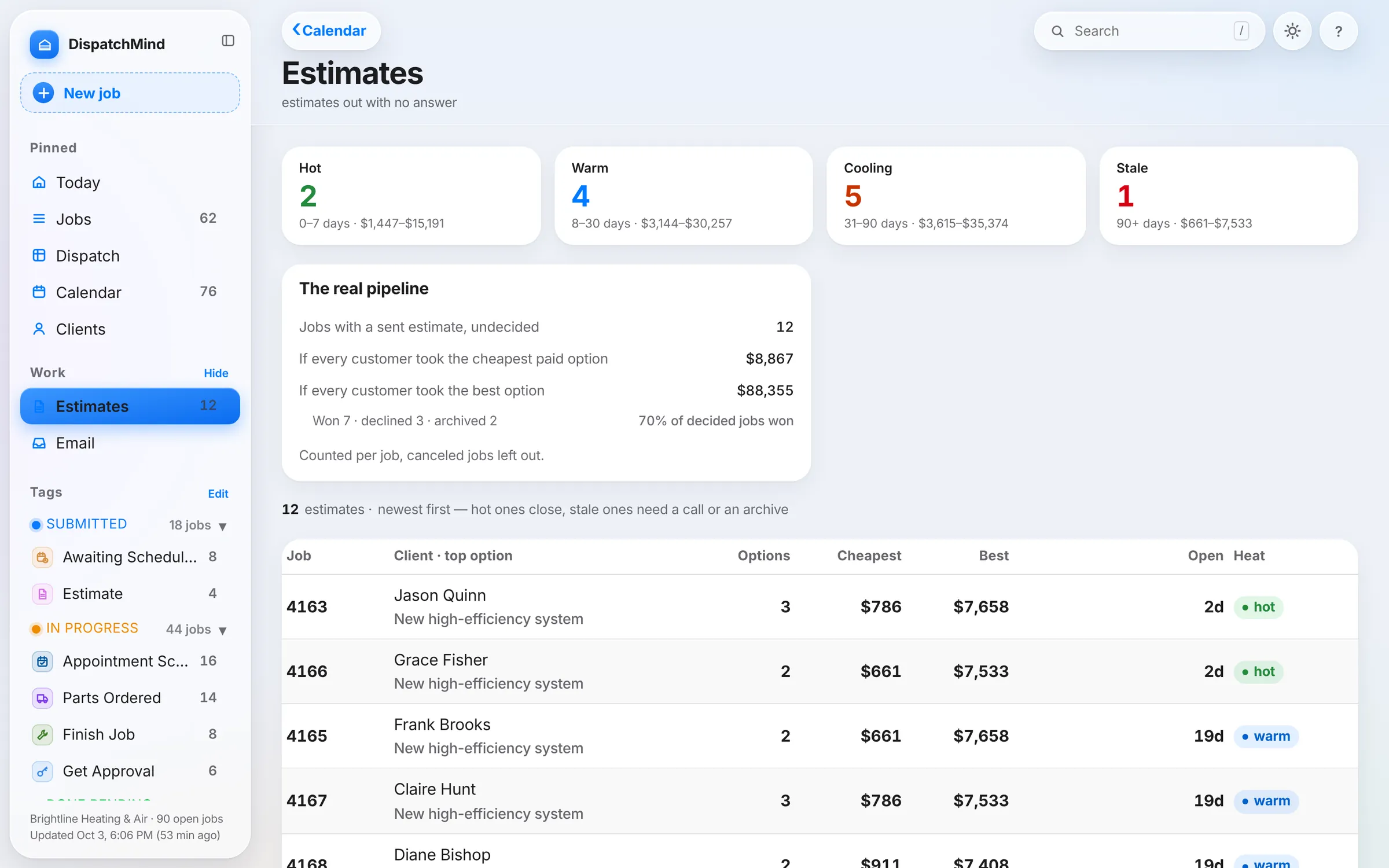
EstimatesBuild an estimate from your price book in a minute, with options to pick from and a signature on the phone.
InvoicesTurn the job into an invoice in one tap, add or change lines, and send it by text or email.
Card paymentsCustomers pay by card through your own Stripe account. The money goes straight to you.
Pay over time and tipsAffirm, Klarna and Afterpay, plus tips, through your own Stripe.
Payment schedulesSplit a big job into a deposit and payments over time.
Service plans and membershipsRepeat visits with automatic plan payments, a member discount on every invoice, and a renewals list.
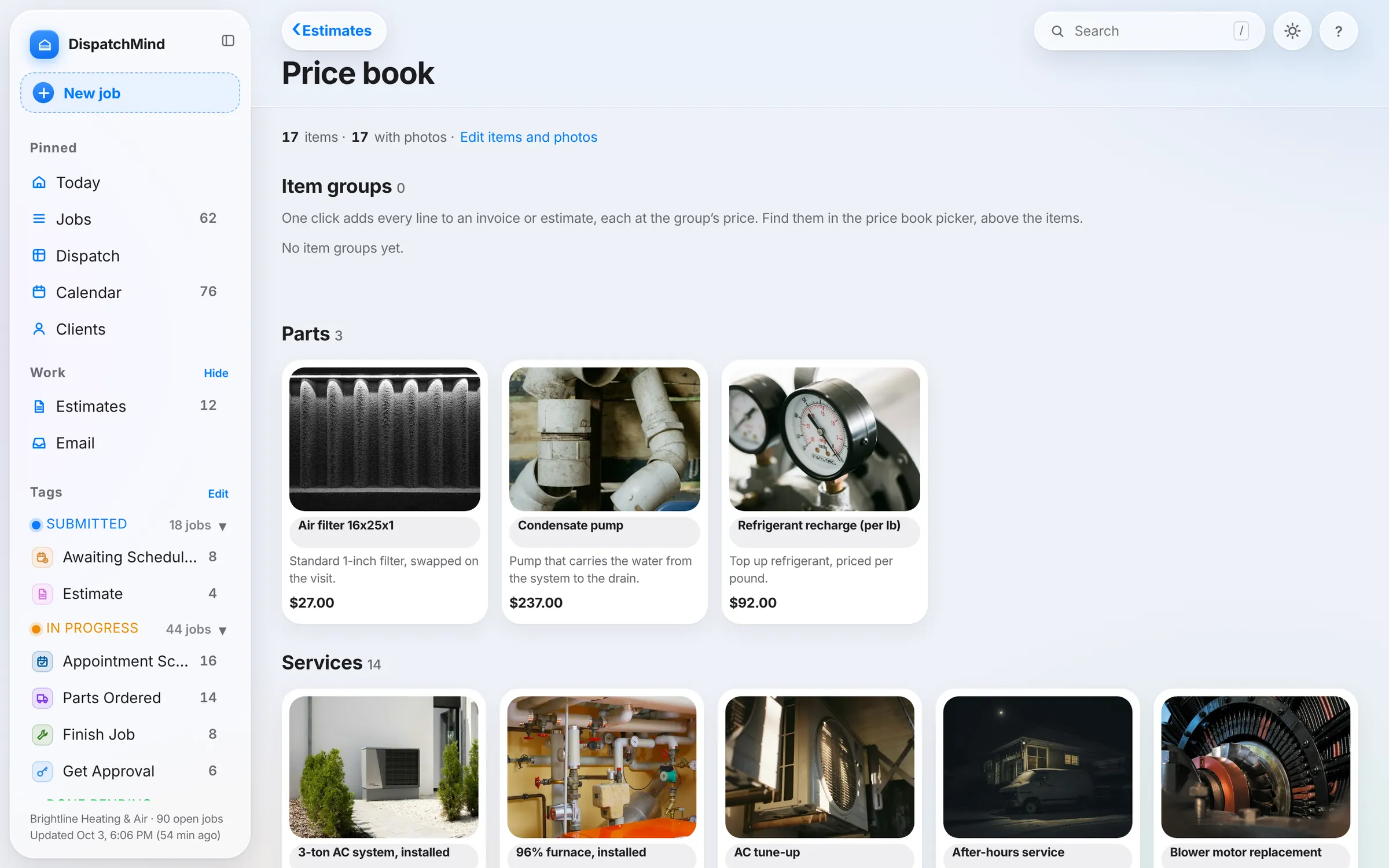
Price bookYour services and parts with prices, grouped your way, ready for any estimate.
CollectionsEvery open balance in one list, oldest first, so nothing gets forgotten.
MindCard (early access)Company cards where every swipe lands on the right job and is checked against the invoice.
Know your numbers
See what’s working and what each job really made.
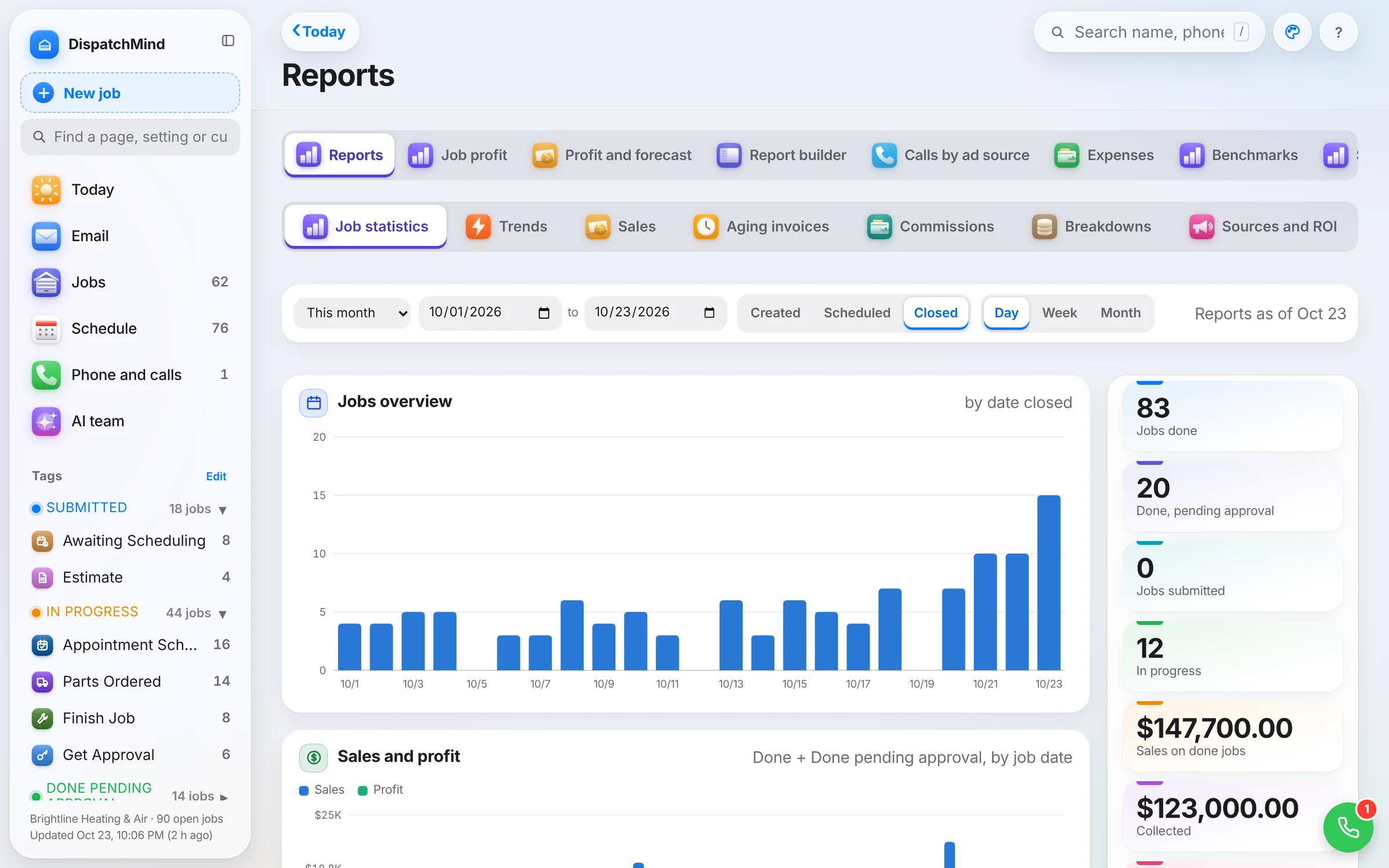
ReportsJobs, revenue and balances by day, week, month, tech, job type and lead source.
Report builderBuild your own report: pick what to count and how to split it.
Call tracking by adMark each business number with its ad or listing and see calls, missed calls, jobs booked and what they came to.
By locationJobs, revenue, average ticket, open balances and jobs per tech for each office or area.
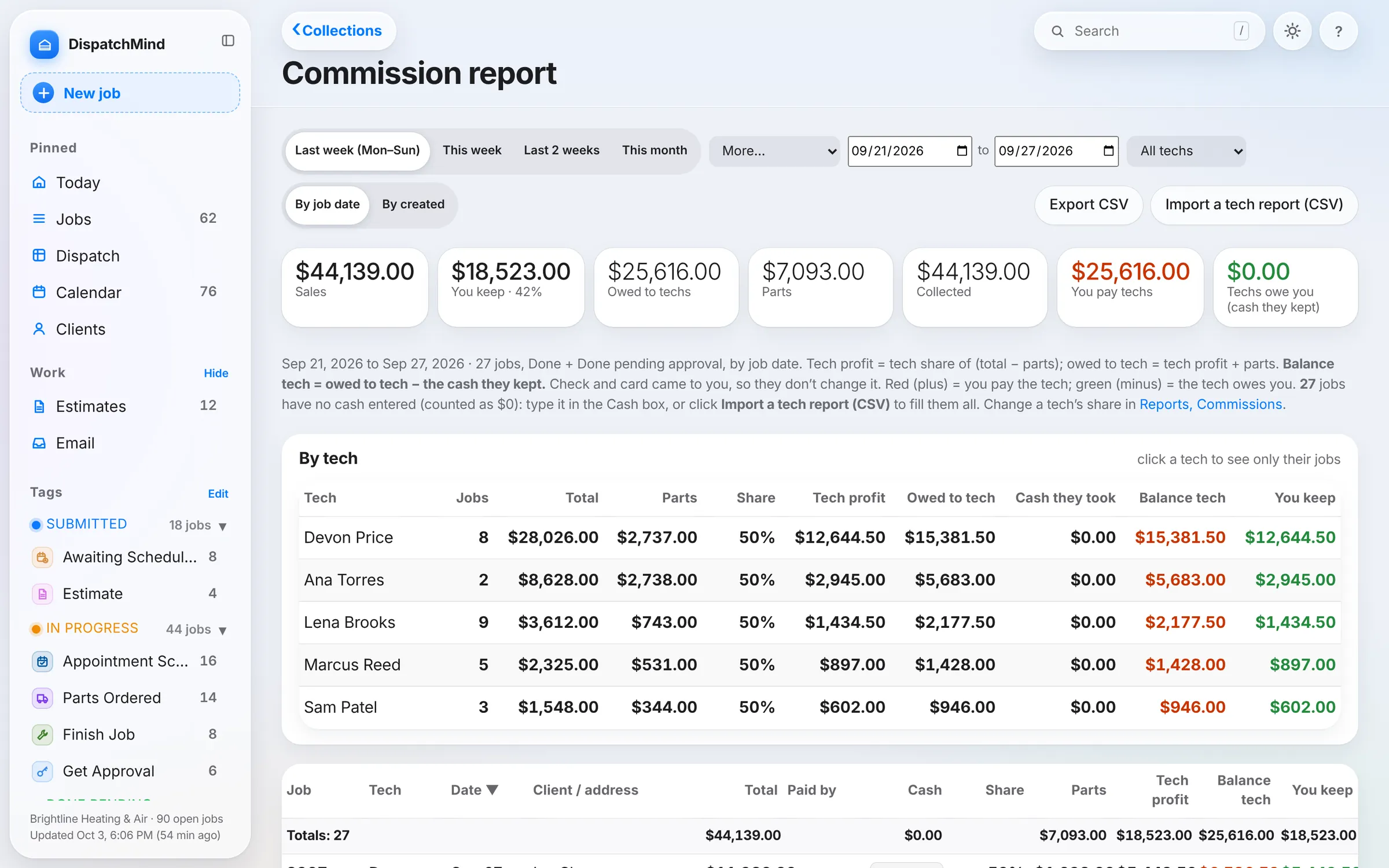
Commissions and tech settlementWork out what each tech is owed from the split, parts, card fees and who collected the money.
ExpensesLog what you spend so the profit on each job is real.
Stuck jobsJobs that haven’t moved in 60 days, caught before they turn into lost money.
Customers and equipment
A full file on every customer and everything you’ve worked on.
Customer pageEvery job, note, photo, estimate, invoice and payment for one customer.
Customer portalCustomers see their visits, estimates and invoices, and pay, from their own link.
Their own languageAutomatic texts and emails go out in the customer’s language when you know it, in 18 languages. Never guessed from a name.
EquipmentWhat’s installed at each address: brand, model and dates.
CompaniesThe partner companies, contractors and accounts you work with, in one list.
Photos before the visitWhen a visit is booked, the customer gets a private link to send up to 6 photos of the problem. They land on the job, so the tech shows up knowing what to bring.
House historyA private page for each home with every finished visit, the work done and the parts used, plus a copy with no prices or names to hand a buyer or an agent.
Stock, forms and proof
The parts on every truck, the checklist on every job, and proof the work got done.
InventoryPart numbers, cost and reorder points. “Reorder what’s low” drafts the purchase orders by vendor.
Truck stockSee what each truck carries and what it’s short, and refill it from main stock in one tap. Parts come off the truck when you approve the closing.
Forms and checklistsBuild your own: tick boxes, yes or no, numbers, pick lists and photos, by job type or on every job.
Done before the closingMark a checklist as required and the tech app won’t send the closing until it’s filled in.
Proof of the jobPhotos, the customer’s signature, and AI that reads the parts receipt. Make photos and a signature required if you want.
Win more work
More calls booked, more reviews, more repeat customers.
Online booking pageCustomers pick a time on your own booking page. It matches the job to techs with the right skills.
Website chatA chat box for your website that turns visitors into booked jobs.
Leads in one placeLeads from your email and Google Local Services land as jobs, ready to book.
Found and booked by AI assistantsWhen someone asks an AI assistant like Claude for a pro near them, it can find your company by service and ZIP code and book a visit on your booking page. On by default, with one switch to turn it off.
Max does the restCampaigns, reviews, referrals and more are Max’s job: your AI marketer, below.
Max, your AI marketer
The third AI employee. Nellie answers your customers, Sam runs your techs, Max brings in the work. $150 a month on top of any plan.
Email campaignsSend news, seasonal reminders and offers to your customer list, from your own address.
He writes them for youA monthly newsletter, and a win-back email for customers you haven’t seen in a year. They wait for your Send.
Yearly remindersAbout a year after a visit, the customer gets a short check-up reminder. Once a year, from the brand on the job.
Lead follow-upA lead that never got a time gets one friendly follow-up with your booking link.
Reviews and referralsA “How did we do?” check-in after the job. Happy customers leave a Google review and get their referral link; anyone unhappy comes straight to you.
Social postsThree posts a week for Facebook, Instagram and Google, written from your finished jobs. Copy and post.
Email outreachProperty managers, builders, realtors and other businesses: a first email and follow-ups from your own mailbox.
Weather outreachA freeze or heat wave coming to an area you work? He drafts an email to your past customers there.
Jobs I brought youEvery month, the jobs and dollars that came from each campaign, reminder, review, referral and lead source.
Automations and tags
Let DispatchMind handle the follow-up, so your office doesn’t have to remember.
Color tagsTag each job with what it needs next. The colors and order are yours.
AutomationsReminders and follow-ups that run on their own when a job changes, when time passes or when a balance is still open.
CustomizeYour own job types, tags, checklist and fields, so it fits the way you work.
Nellie, your AI dispatcher
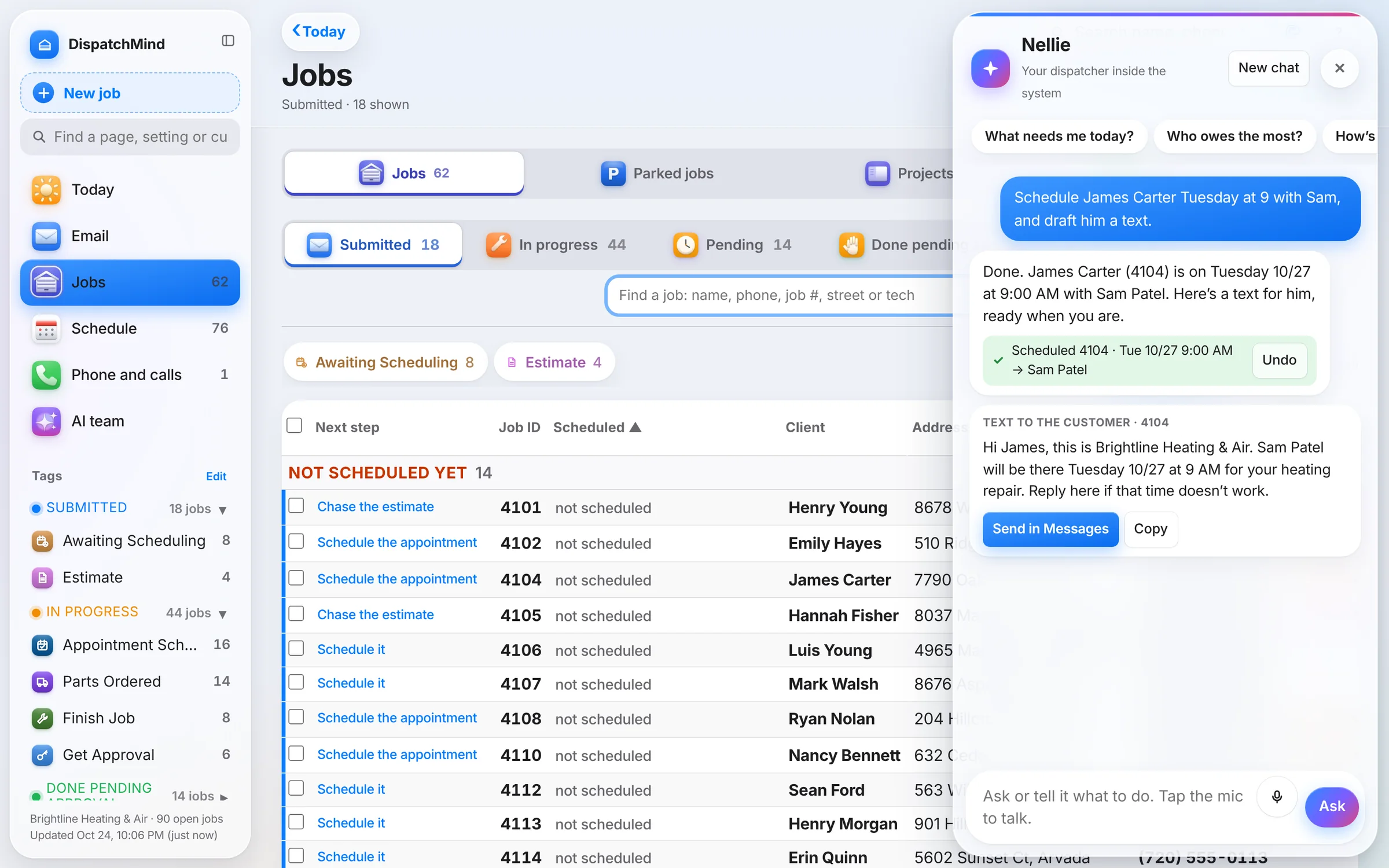
Nellie works right inside your jobs. $149 a month on top of any plan.
Answers your phoneDay or night, in a natural voice. She finds the caller’s job, books or moves the visit, and hands off to a person when it matters. Every call gets a summary on the job.
Ask in plain EnglishType a question about your jobs, customers or money and get a straight answer from your own data.
It makes the changeStatus, tags, notes, appointments, techs and new jobs. It checks with you first before money, cancellations or big changes.
Learns your rulesTell her once, in plain English, how you want things done, and she follows it.
Talk to itTap the mic and say it. Handy when you’re driving or on the phone.
Right where you areAsk Nellie from any page and she opens right there, next to your work.
$149 a monthNellie is an add-on on top of any plan, and she is on in the 14-day free trial.
Your AI team: Nellie, Sam, Max and Marshal
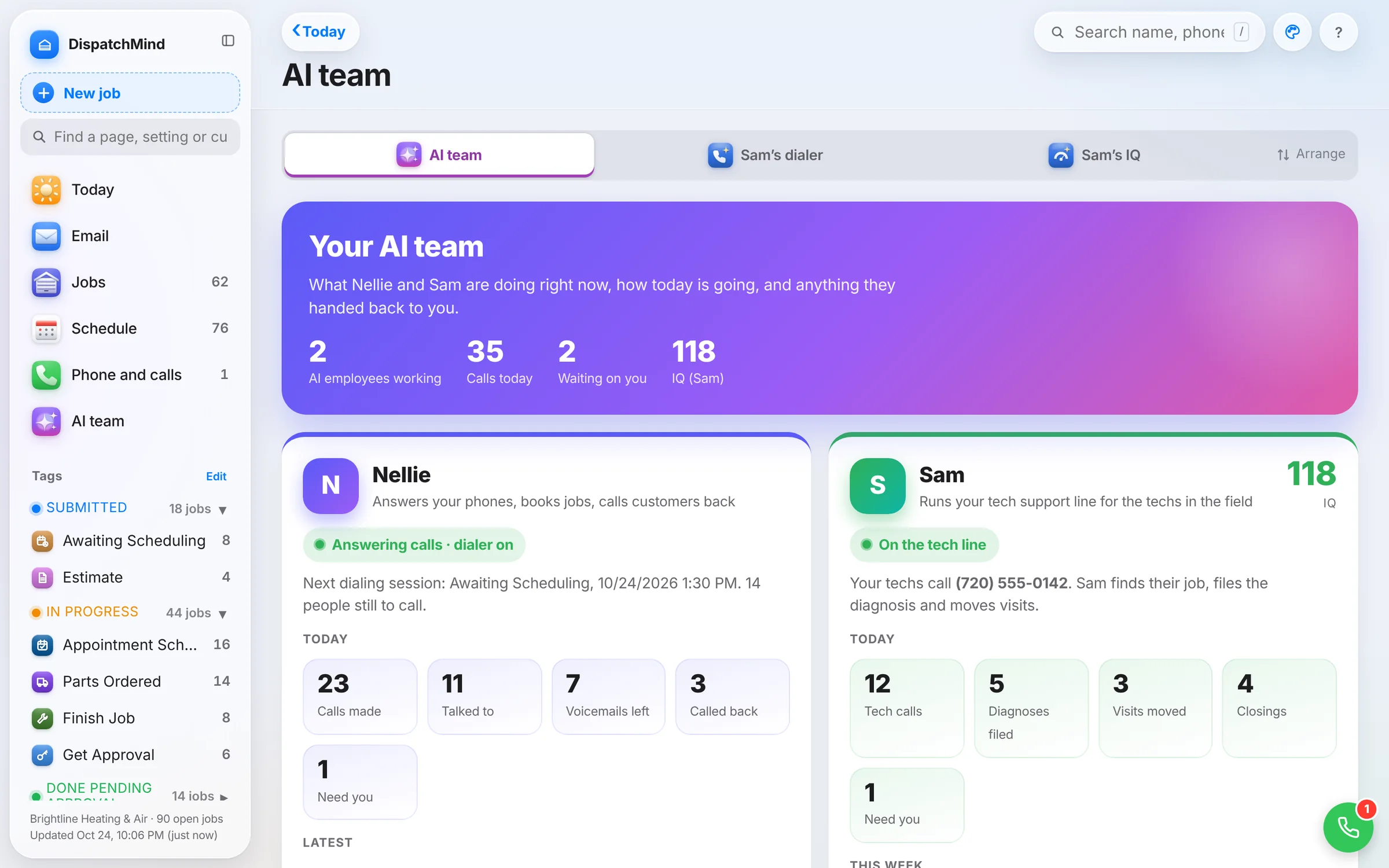
Four AI employees, on 24/7. Nellie works the customer side, Sam works the technician side, Max brings in new work, Marshal makes sure nothing stalls, and they hand work to each other.
Max, your AI marketerCampaigns, win-backs, reminders, reviews, referrals and social posts, with a monthly report of every job he brought in. Meet him at dispatchmind.ai/max/.
AI team pageSee what Nellie, Sam and Max are doing right now, how today is going, and anything they handed back to you.
Sam, your AI tech lineYour technicians call Sam from the job, any hour. He finds the job, files the findings, takes the closing and moves the visit.
Approvals and invoicesSam writes the invoice from the price book and asks you before anything that needs your OK.
Nellie and Sam talk to each otherA customer who calls about a technician, or a technician who needs a customer, gets passed to the right one.
Spending limitsSet how far Sam can go without asking, like how many days out he can move a visit or how big a tech’s estimate he can send. Under the limit he does it and it shows in your evening summary. Over it, he asks.
$149 a month eachSam is $149 a month with 300 minutes. Nellie and Sam together are $249.
Phone and dialer
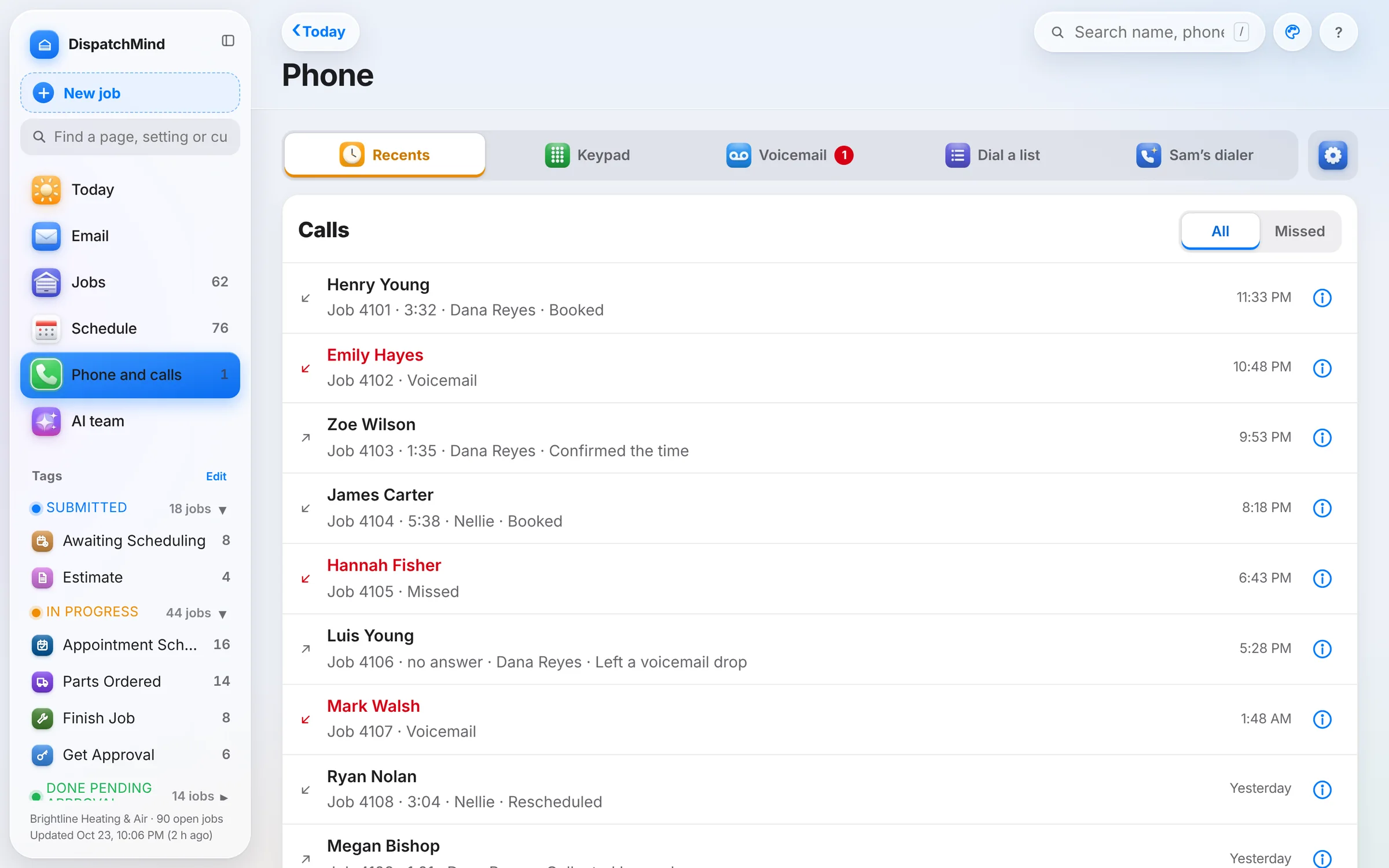
A business phone built in: numbers, calls, texts and a dialer.
DialerPick a list of jobs and call 1 to 5 of them at once. The first person who answers is on your line; the rest get a call back.
Nellie’s dialerNellie calls your customer lists for you: people waiting on a date, estimates and payment reminders. She books them and writes it on the job.
Sam’s dialerSam calls your technicians about their open jobs: closings, findings, return visits and photos. One call a day, in their own time zone.
DispatchMind PhoneA business number of your own, or move yours in. Calls and texts from inside the app, voicemail drops, recordings on the job, and Nellie answering when you can’t.
Ring orderChoose who rings first for each number: these phones, then Nellie, then voicemail.
Every call on the jobCalls, texts, voicemails and recordings land on the job they belong to.
Connects to your tools
Plug DispatchMind into what you already use.
QuickBooks and XeroQuickBooks Online, QuickBooks Desktop and Xero.
ZapierConnect thousands of other apps without writing code.
Open API and webhooksBuild your own connections, with signed webhooks when a job changes.
Mailchimp and CompanyCamYour customer list in Mailchimp, your job photos from CompanyCam.
Your calendarA calendar feed for Google, Outlook and Apple calendars.
ClaudeAsk Claude about your jobs and have it make office changes, through the DispatchMind connector.
Works everywhere
Office, truck or couch. Same jobs, same numbers.
iPhone and Android appsDispatchMind is on the App Store and Google Play.
Any browserWorks on a Mac, a PC, a tablet or a phone. Nothing to install.
18 languagesEnglish, Spanish, French, Portuguese, Hebrew, Arabic, Chinese and 11 more. Hebrew and Arabic read right to left.
75 countriesYour country sets the currency, date order, clock, tax name and time zone. Plans are priced in 53 currencies.
Keeps working without signalYour last-loaded jobs stay on your device, so a dead zone doesn’t stop you.
Keyboard shortcutsFast keys for the office: open a job, change the status, move around without the mouse.
Four looks, day and nightClassic, Glass, Luxury and Future. Luxury and Future change the whole layout, not just the colors, and every look has a day and a night mode.
Show only what you useSwitch off any page you don’t need and it leaves the menus, search and Ask Nellie. Nothing gets deleted, and one switch brings it back.
Always the newest versionWhen something new is out, a card in the middle of the screen tells you. One tap and you’re back where you were.
Your data stays yours
Your company’s information is kept apart from every other company’s.
Kept separateEvery company has its own space, walled off by the database itself. No one outside your team sees your jobs or customers.
You control accessAdd and remove logins any time, and choose what each person can do.
Two-step sign-inA code on top of the password, and an owner switch that makes everyone use it.
Activity logEvery change your team makes, who made it and when.
Nightly backupsEncrypted backups every night, tested to make sure they restore.
Take it with youAsk for a full copy of your company’s data any time.
No ads, never soldWe don’t sell your information and we don’t show ads.
See it with your own jobs.
Start the free trial and set it up your way, or look around the demo first.


 Today
 Jobs board
 Dispatch board
 Calendar
 Jobs map
 Job page
 Multi-day jobs and crews
 Pickup and drop-off
 Several companies, one account
 Locations
 Property managers
 Search everything
 Back and forward

 Tomorrow’s dress rehearsal
 Fix it before it breaks
 Past customer calls back

 Tech app
 Close out from the driveway
 Best techs first
 Access levels
 Office logins and roles
 Time clock
 Techs on the map
 Tech scorecard

 Estimates
 Invoices
 Card payments
 Pay over time and tips
 Payment schedules
 Service plans and memberships
 Price book
 Collections
 MindCard (early access)

 Reports
 Report builder
 Call tracking by ad
 By location
 Commissions and tech settlement
 Expenses
 Stuck jobs

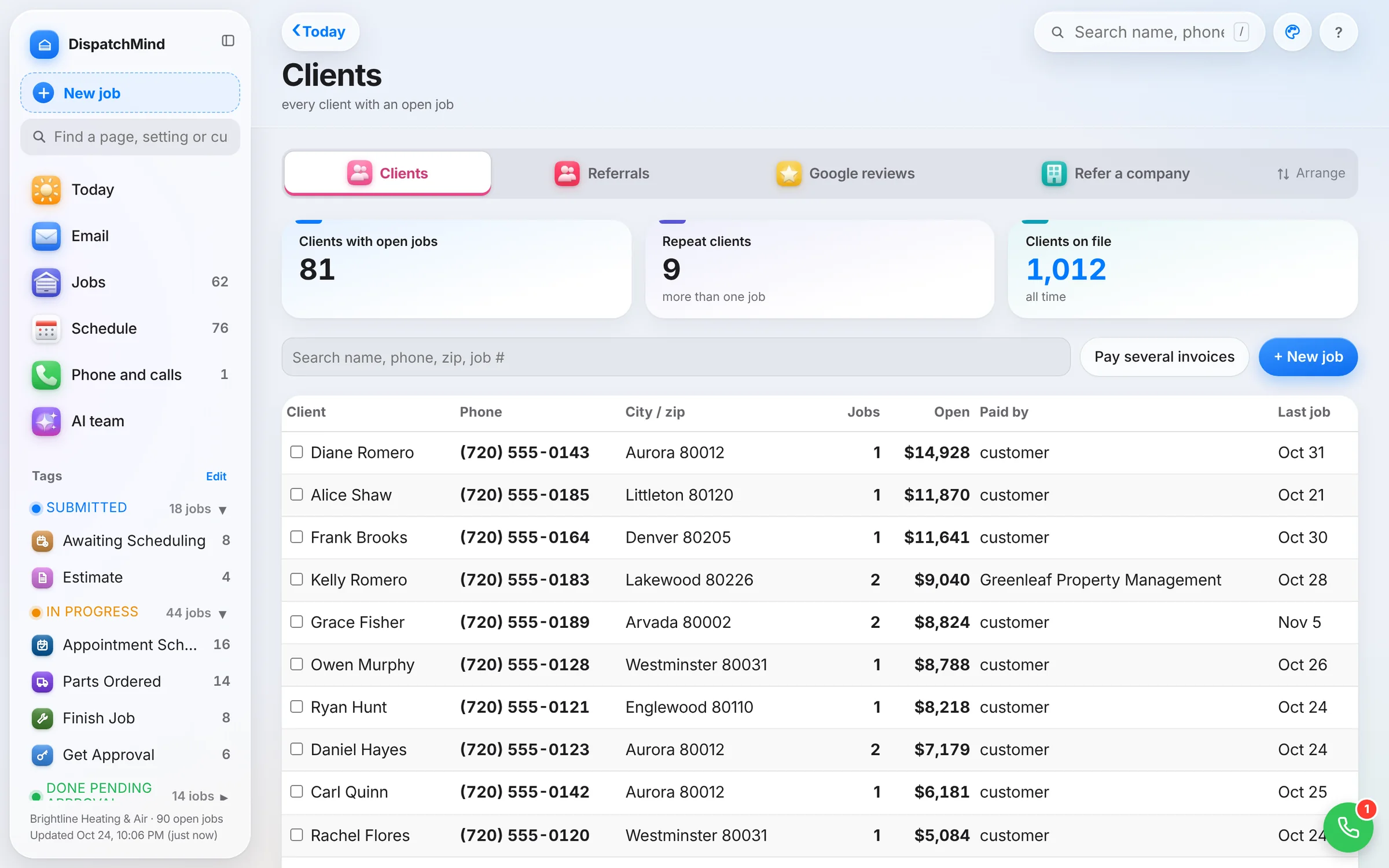
 Customer page
 Customer portal
 Their own language
 Equipment
 Companies
 Photos before the visit
 House history

 Inventory
 Truck stock
 Forms and checklists
 Done before the closing
 Proof of the job

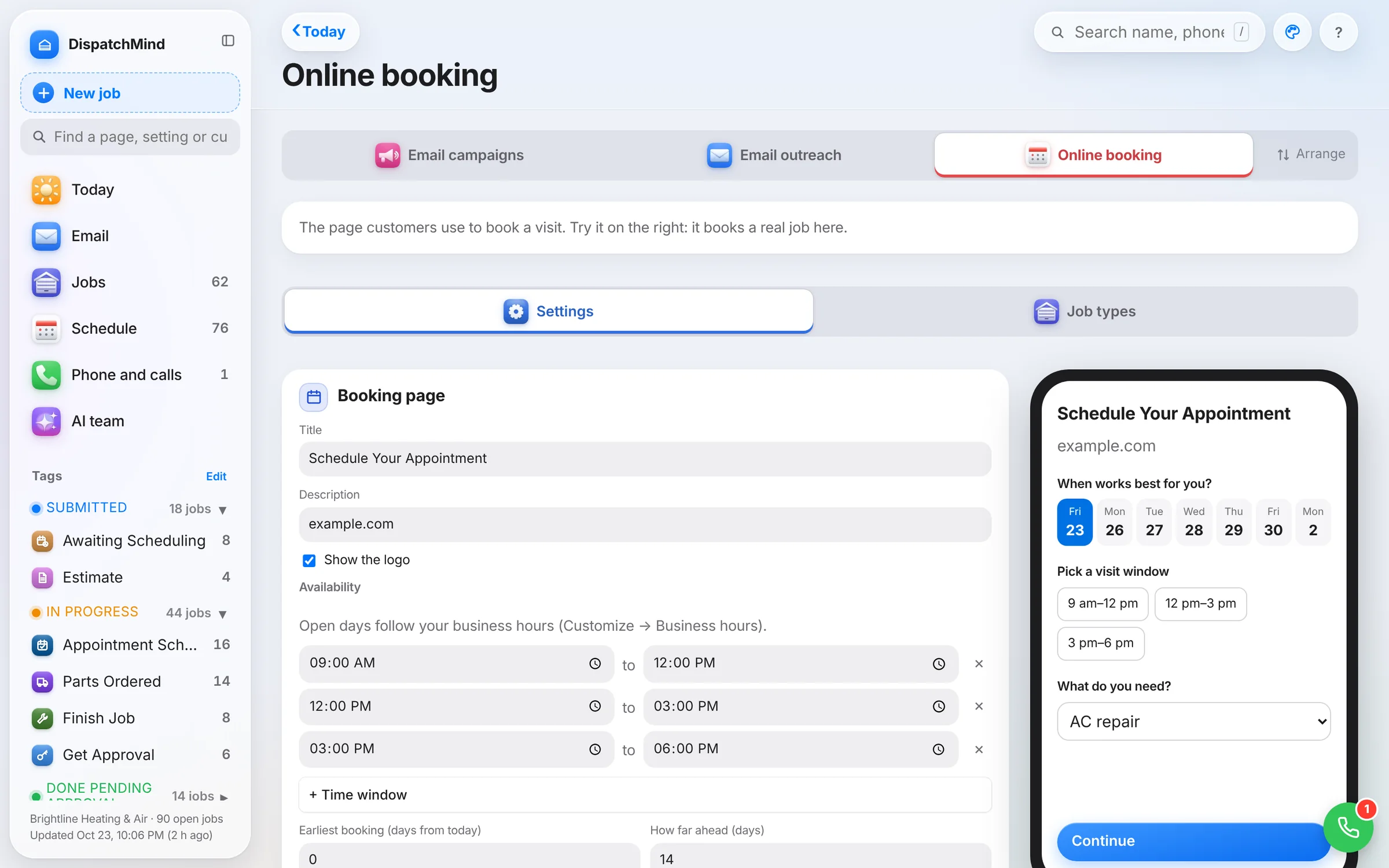
 Online booking page
 Website chat
 Leads in one place
 Found and booked by AI assistants
 Max does the rest

 Email campaigns
 He writes them for you
 Yearly reminders
 Lead follow-up
 Reviews and referrals
 Social posts
 Email outreach
 Weather outreach
 Jobs I brought you

 Color tags
 Automations
 Customize

 Answers your phone
 Ask in plain English
 It makes the change
 Learns your rules
 Talk to it
 Right where you are
 $149 a month

 Max, your AI marketer
 AI team page
 Sam, your AI tech line
 Approvals and invoices
 Spending limits
 $149 a month each

 Dialer
 Nellie’s dialer
 Sam’s dialer
 Ring order
 Every call on the job

 QuickBooks and Xero
 Zapier
 Open API and webhooks
 Mailchimp and CompanyCam
 Your calendar
 Claude

 iPhone and Android apps
 18 languages
 75 countries
 Keeps working without signal
 Keyboard shortcuts
 Four looks, day and night
 Show only what you use
 Always the newest version

 Kept separate
 You control access
 Two-step sign-in
 Activity log
 Nightly backups
 Take it with you
 No ads, never sold